Teacher guidance matters
A 2026 study with 89 English learners found higher behavioural, cognitive and social engagement when GenAI speaking practice included structured teacher guidance.
Min, Gao & Zhang – System (2026)
For independent language teachers · 1:1 lessons
You decide what each student needs to practise. Charlie (the student’s personal AI practice assistant) turns it into personalised practice in Telegram, works with them between your 1:1 lessons, and tells you what needs attention next.
Try Charlie free:
Teacher-led. AI-assisted.
Quick one: what did you do after work yesterday? One sentence.
I go to gym and then I meet my friend.
There's a slip in the verbs – you're talking about yesterday. Want to fix it yourself?
Practice since the last lesson: 4 sent, 4 answered, 0 still open.
Example: your goal for Anna, her practice in Telegram, your summary before the next lesson.
The gap
When you teach students one-to-one, you usually know exactly what each person should work on next: a grammar structure, a few useful phrases, pronunciation, or simply speaking more.
But personalised follow-up takes time to create, send, correct and monitor. Lessonling keeps that learning direction alive between lessons.
Delegate the practice – not the teaching.
How it works
You teach and decide. Charlie runs the practice in between. You see what happened before you meet again.
Have the lesson as usual. Nothing changes about how you teach.
“Anna understands past simple, but switches back to present tense in longer answers. Practise weekends and travel – went, saw, took, came, had.”
Type it into the lesson record, or say it to your own Telegram assistant after the lesson.
Conversation, voice messages, role-play, recalling words, grammar in context, short writing, picture description – a short exercise at a time, more on request.
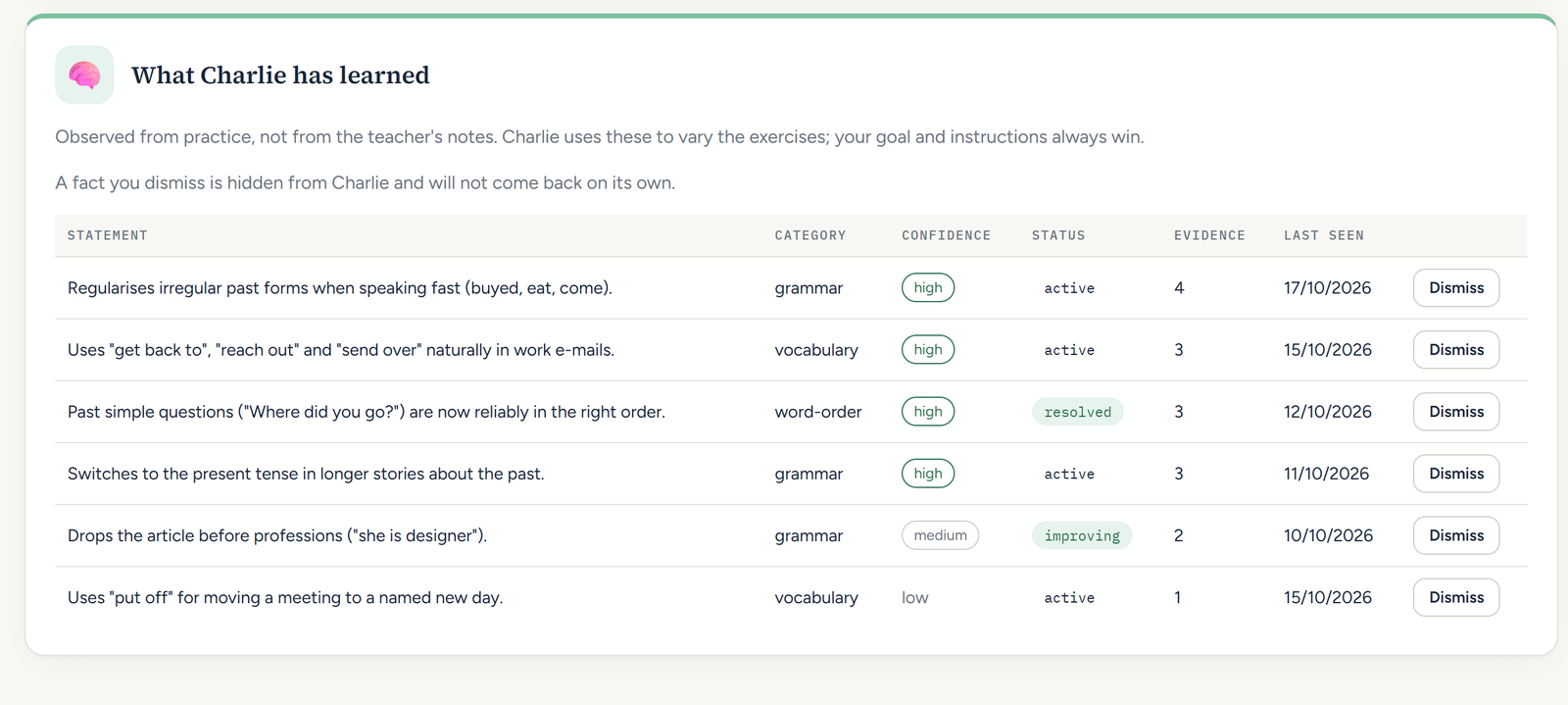
“Went and saw are reliable in short answers; took still needs a prompt. Recurring: missing articles before professions.”
A short summary in Telegram before the lesson, and every answer in the dashboard.
For teachers
Built for teachers who work closely with individual students and want that personal direction to continue between lessons.
Describe the goal in normal language. Charlie creates and adapts the actual practice – it follows your current teaching goal, not a random AI conversation.
Or say it to your Telegram assistant after the lesson: it drafts the goal, instructions and problem areas and asks “Record it?” before saving.
Practice since the last lesson: 7 sent, 6 answered, 1 still open.
Sent to you in Telegram before each lesson. The suggestion is advice; the next plan is yours.
For students
Not another random chatbot conversation. Your practice follows your real lessons: the words you just learned, the grammar you need to use, the speaking you are building up to.
Students join through their teacher, not by signing up.
In Telegram
Answer in a message. Send a voice message. Role-play a hotel check-in. Fix a sentence. Pick up a word you slipped on earlier in the week.
Buttons under each exercise ask for a hint, an explanation, something easier or harder, or another one. Charlie can read its replies aloud.
Students use Telegram on their phone or computer. Those who don't have it yet install it once.
Quick one: what did you do after work yesterday? One sentence.
I go to gym and then I meet my friend.
Nice. There's a slip in the verbs – you're talking about yesterday. Want to fix it yourself?
I went to the gym and then I met my friend.
Exactly 👍
🎙️ Now tell me what happened after that. Try speaking for about 30 seconds.
Something you slipped on earlier this week:
What's the past form of take – and can you use it in a sentence about your last trip?
An example exchange: the teacher's goal, a self-correction, a spoken answer, and a known weak spot coming back.
The administration side of Lessonling costs nothing, with or without Charlie.
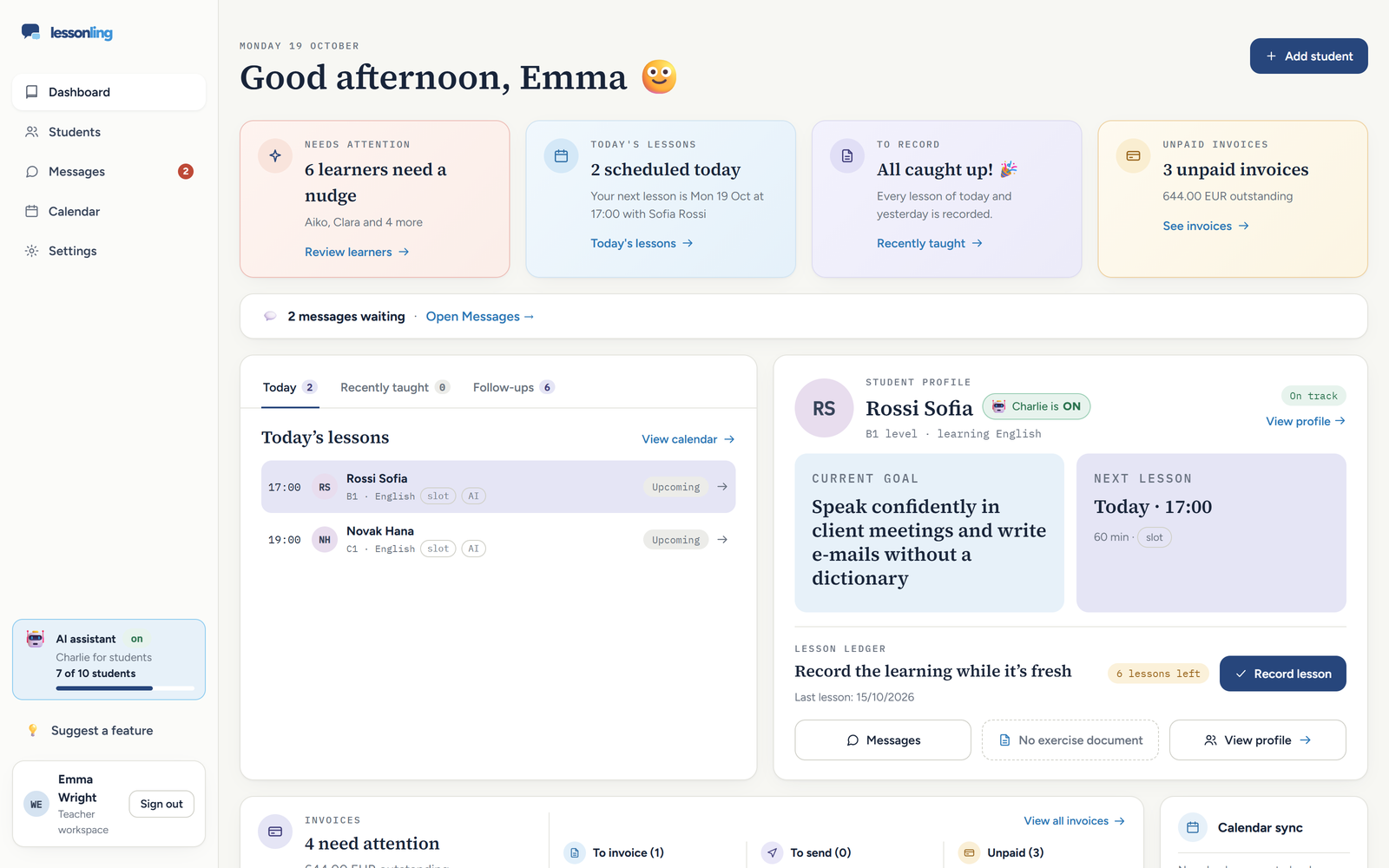
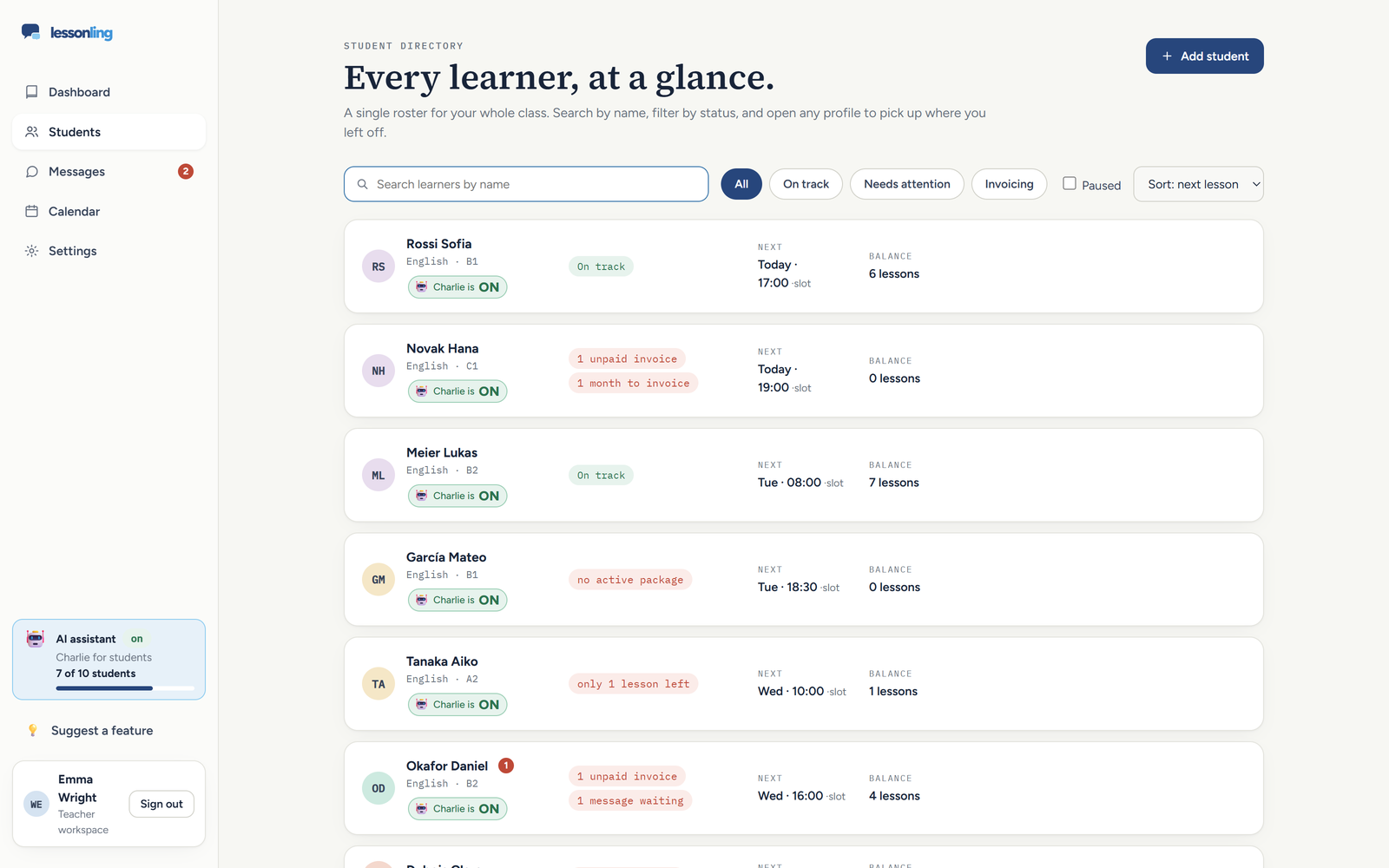
One place for each student: contact details, languages, level, notes and the full history.
Record a lesson in one short dialogue: date, length, what you covered and what was difficult.
Sell a package of lessons; each recorded lesson is deducted automatically and you see what is left.
Monthly invoices for pay-as-you-go students, a reminder when it is time, and sent and paid dates.
A month view of every student's lessons, with Google Calendar as the source of the next lesson if you use it.
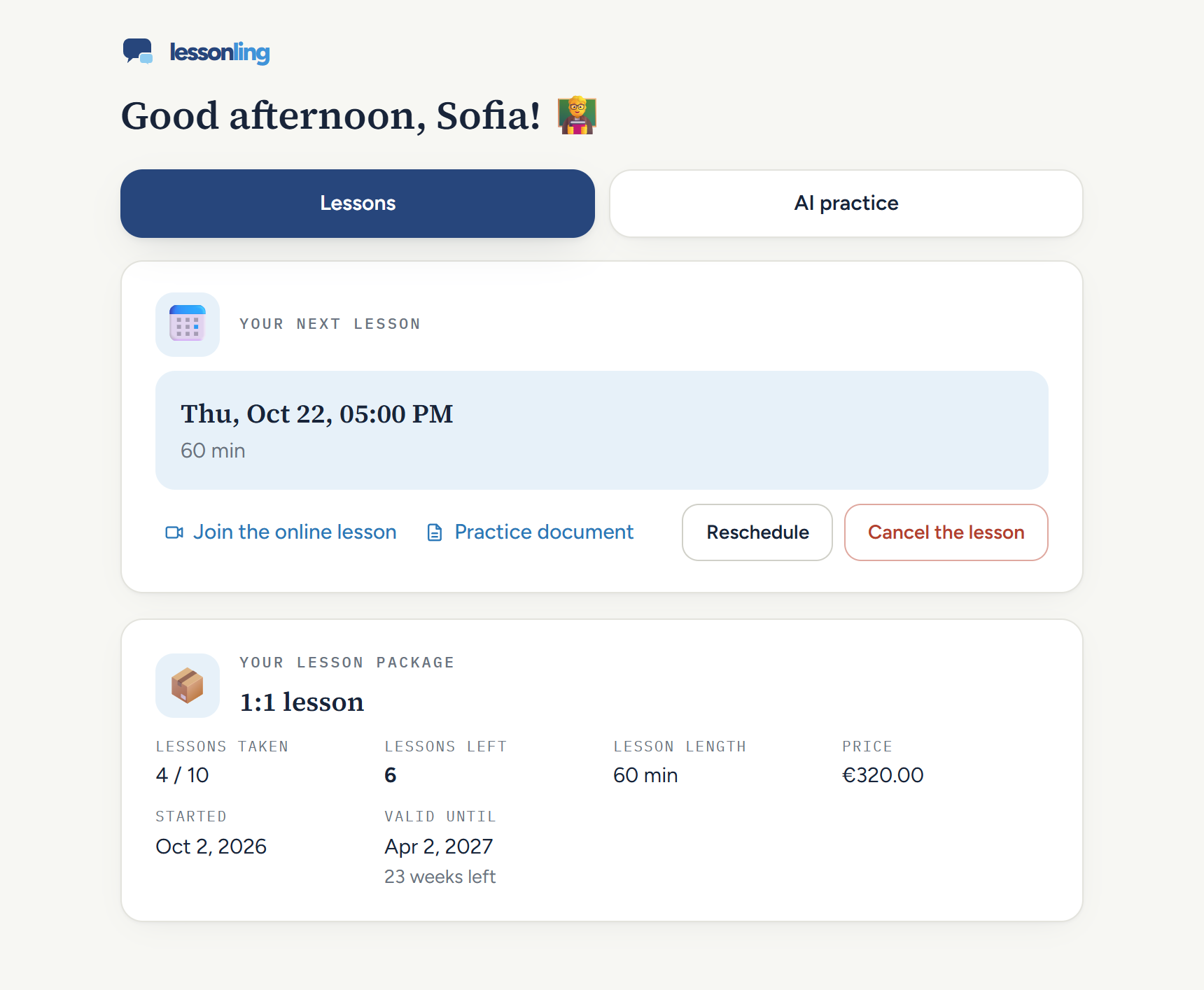
Each student gets a personal page: the next lesson, their balance, unpaid invoices, and a way to ask you to cancel or move a lesson, if you allow it.
With Charlie Keep a shared Google Doc per student? The lesson record can be drafted from that lesson's section, for you to check and save.
Adaptive practice
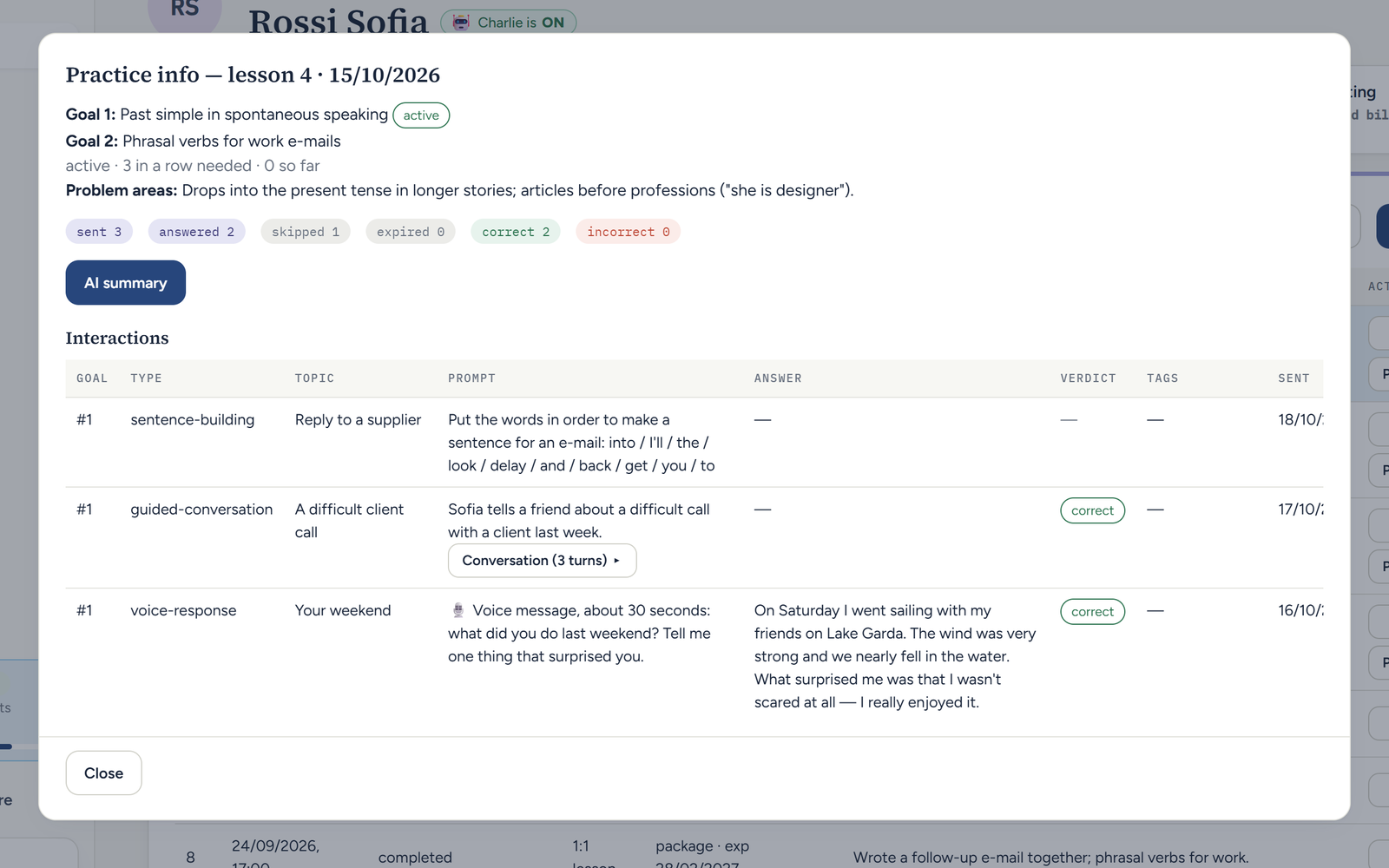
Charlie does not send a fixed set of exercises. It decides what kind of practice is useful next from how the student answers.
Practice on a goal starts easy and gets harder as the answers come right. After the number of correct answers in a row you set, it moves on to your second goal. A student who wants more can ask for an extra exercise at any time, up to a daily limit you choose.
Learning design
A 2026 study with 89 English learners found higher behavioural, cognitive and social engagement when GenAI speaking practice included structured teacher guidance.
Min, Gao & Zhang – System (2026)
A meta-analysis of 48 second-language-learning experiments found medium-to-large benefits from spaced practice.
Kim & Webb – Language Learning (2022)
Learning is strengthened when students actively recall and use information rather than only seeing it again.
Carpenter, Pan & Butler – Nature Reviews Psychology (2022)
Meta-analyses have found positive overall effects from chatbot- and GenAI-supported second-language learning.
Wang et al.; Li, Wang & Yang (2025)
These studies inform the design principles behind Lessonling; they did not evaluate Lessonling itself.
From a teacher
“I love how Lessonling brings everything together in one easy-to-use, visually appealing system. From student information, invoices and shared documents to teaching links and lesson tracking linked to my calendar, everything is neatly organised in one place. It saves me tons of time and makes managing my teaching business considerably easier.
My absolute favourite feature, though, is Charlie, the AI learning assistant on Telegram. My students can practise between lessons, working on anything from grammar and speaking to professional communication and politeness. They receive immediate feedback, can respond to prompts by text or voice message, and choose how often they want to practise.
My students love it, and I enjoy that their learning continues beyond our lessons without adding more work to my schedule. If you’re an English teacher looking to simplify your admin while giving your students more opportunities to practise independently, I highly recommend giving Lessonling a try!”
 Suzie Delgado – English teacher, English with Suzie
Why not just a chatbot
| Feature | Generic AI chatbot | Static homework | Lessonling |
|---|---|---|---|
| Knows the teacher's current goal | Usually no | Sometimes | Yes |
| Adapts during practice | Yes, but generic | No | Yes |
| Works from the teacher's instructions | Limited | Yes | Yes |
| Conversation and voice | Yes | Limited | Yes |
| Comes back to known weak spots | Not systematically | Only if the teacher rewrites it | Yes |
| Exercises about the student’s own life – work, hobbies, plans – so they are easy to picture | Only if told each time | Same sheet for everyone | Yes |
| Reports useful observations to the teacher | Usually no | Basic scores | Yes |
| Teacher stays in control | Limited | Yes | Yes |
| Student administration | No | No | Yes, free |
Control
Launch pricing
The administration stays free either way.
Everything around the lesson
0 EUR / month
Free for as long as you use it
Free foreverIncludes the Charlie trial: 1 student, up to 10 exercises or 14 days – whichever comes first.
Trial ends when either limit is reached first.
AI practice for up to 5 students at a time
19 EUR / month, excl. VAT
or 190 EUR a year – ten months' price
AI practice for up to 15 students at a time
49 EUR / month, excl. VAT
or 490 EUR a year – ten months' price
Plans are bought inside the dashboard after you sign up. Prices exclude VAT; VAT is added at checkout.
One student with AI practice switched on. Switch it off and the seat is free for another student straight away – no monthly counting.
Starts automatically when you register. You can try Charlie with 1 student for up to 10 exercises or 14 days, whichever comes first. No request is needed.
When either limit is reached, Charlie switches off until you choose a paid plan. Your students, lessons, packages, invoices and other free administration features remain available.
Monthly, or yearly for the price of ten months. Need more seats? Write to info@lessonling.com.
FAQ
No. You set the goals for each lesson in your own words, the student's problem areas and the kinds of practice allowed. Charlie decides how to practise them adaptively, never what to learn.
No. You describe what the student should improve; Charlie writes the individual exercises and conversations around it. Every exercise is written by AI for that one student – from your goals, their level and what they told Charlie about themselves – not picked from a ready-made bank.
European languages – English, German, French, Spanish, Italian, Czech, Polish and others, including Russian, Ukrainian and Greek. Asian languages such as Japanese or Chinese are not supported yet. Charlie writes everything in the student’s language and can explain in a second language if the student needs it.
So far Charlie has been tested most with English; tests in other languages are coming soon.
Partly, and in plain words. One setting decides whether the student first tries to fix a slip in short exercises themselves – one try, always skippable. Anything else you write in the instructions – topics, words, what not to introduce – shapes the exercises and conversations; Charlie receives it word for word. Correction itself follows fixed rules. By default Charlie explains the mistake that matters for the current goal and fixes the rest quietly in the corrected sentence.
Yes. Students can answer with Telegram voice messages; Charlie transcribes them and replies to what was said. Students can also ask Charlie to read its replies aloud.
A short Telegram summary: how many exercises were sent and answered, what went well, what the student struggled with, what keeps recurring, and a suggested focus. In the dashboard you can read every exercise and answer of that lesson's practice.
No. Lessonling is practice directed by the teacher, between the teacher's lessons. You decide what is practised; Charlie makes sure there are enough chances to practise it.
The free AI trial ends after 10 exercises or 14 days, whichever comes first. Charlie then switches off for you and the trial student until you choose a paid plan. Your students, lessons, packages, invoices and the rest of Lessonling's free administration stay available.
No. It is practice connected to the lessons you already have with your teacher.
Ask your teacher. Students don't sign up themselves: your teacher switches AI practice on for you and sends you a personal link that connects your Telegram to Charlie.
Practice runs in Telegram, on your phone or computer. If you don't use Telegram yet, you will need to install it.
Yes. Send a voice message and Charlie replies to what you said. You can also ask Charlie to say its replies aloud.
Not out loud. Charlie explains the mistake that matters for your current goal and fixes the others quietly in the corrected sentence. In a conversation a slip doesn't stop the scene. If you want more, ask for the next mistake to be explained.
Yes. An exercise arrives at the time you choose on your student page, and you answer when it suits you. Whenever you have a few more minutes, ask Charlie for another one, up to the daily limit your teacher sets.
After your next lesson, tell Charlie what to practise, let it handle the repetition, and see the result before you meet again.
Try Charlie with 1 student for up to 10 exercises or 14 days, whichever comes first.